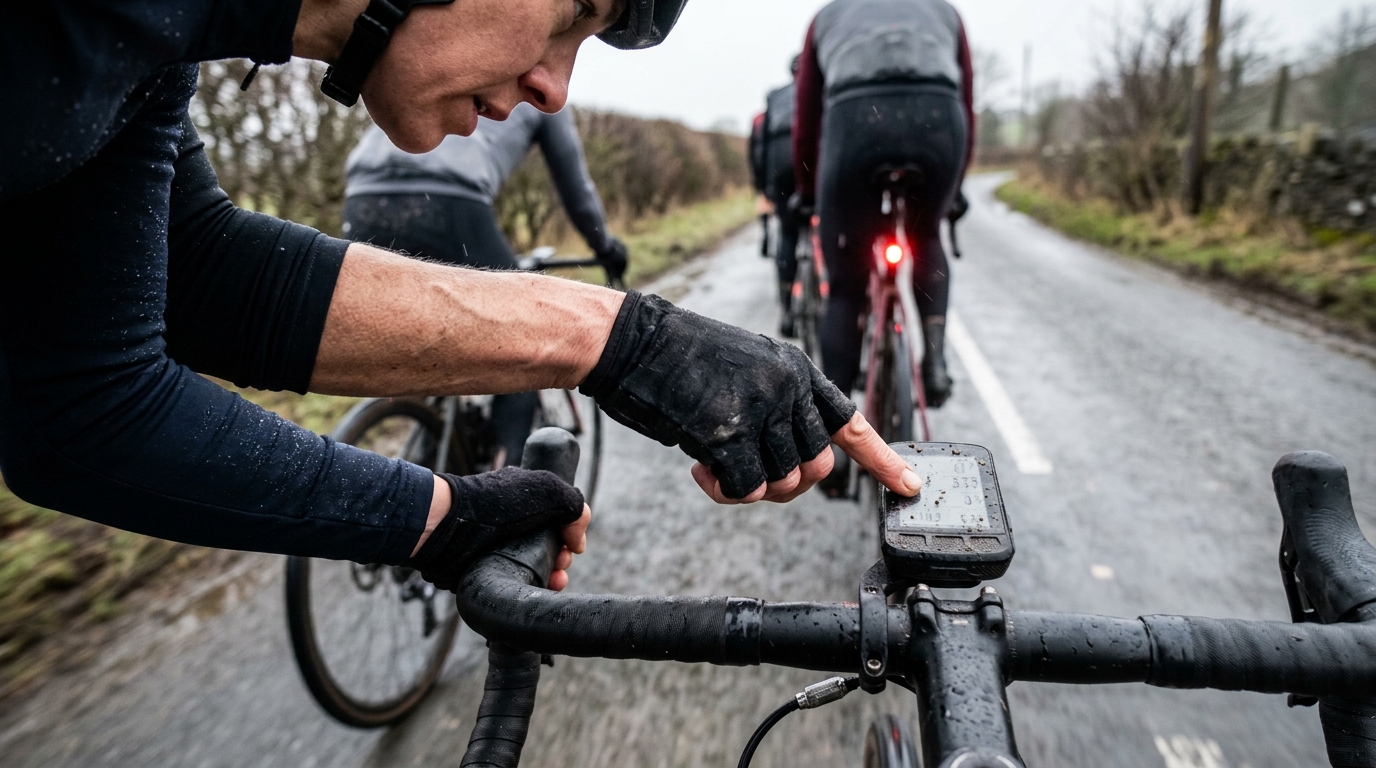
Bild von unserem Modell generiert.
Radsportdaten
Radcomputer Datenfelder: Smarter einrichten
Eine praktische Anleitung zum Erstellen von Radsport-Datenbildschirmen, die die Trainingsqualität verbessern, Ablenkungen während der Ausfahrt reduzieren und dein Head Unit nützlich machen, wenn es darauf ankommt.
Warum dein Datenbildschirm-Setup die Trainingsqualität verändert
Die meisten Fahrer behandeln ihr Head Unit wie einen Spind. Wenn eine Metrik existiert, wird sie irgendwo hinzugefügt. Leistung, Herzfrequenz, Geschwindigkeit, Trittfrequenz, Höhe, Steigung, Rundenzeiten, Durchschnitte, Karten, Zeit, Temperatur, Trainingsbelastungs-Proxies, Navigationshinweise und Telefonbenachrichtigungen konkurrieren alle um die wenigen Sekunden Aufmerksamkeit.
Das ist die falsche Denkweise über Datenfelder von Radcomputern.
Ein gutes Radcomputer-Setup geht nicht darum, mehr zu sehen. Es geht darum, das Richtige in dem Moment zu sehen, in dem es deine Entscheidung ändern kann. Während einer Ausfahrt im Grundlagenbereich könnte das bedeuten, zurückzuschalten, bevor die Ausfahrt ins Tempo abdriftet. Während Intervallen könnte es bedeuten, den Beginn einer Anstrengung zu dosieren, anstatt einer Zahl hinterherzujagen, nachdem der Schaden bereits angerichtet ist. Während eines Rennens könnte es bedeuten zu wissen, ob der Vorstoß nachhaltig ist, ohne auf den Bildschirm zu starren, während sich die Gruppe teilt.
Das Head Unit sollte die kognitive Belastung reduzieren, nicht erhöhen. Je härter die Ausfahrt wird, desto weniger Bandbreite hast du für die Interpretation. Wenn deine Radsport-Datenbildschirme erfordern, dass du eine überfüllte Seite scannst, mehrere Durchschnitte vergleichst und entscheidest, was wichtig ist, werden sie genau dann versagen, wenn am meisten auf dem Spiel steht.
Das Ziel ist einfach: Bildschirme um die Absicht der Ausfahrt herum aufbauen.
Die Kernfelder, die jeder ernsthafte Radfahrer sehen sollte
Die Kernfelder sind diejenigen, die die wichtigsten Pacing-Fragen mit der geringsten Interpretation beantworten.
Leistung
Wenn du mit einem Leistungsmesser trainierst, ist die Leistung das primäre Pacing-Feld für strukturiertes Training. Es sagt dir, was du gerade tust, bevor die Herzfrequenz aufholt und bevor sich das wahrgenommene Anstrengungsniveau vollständig eingestellt hat. Für Ausdauersportler macht es das zur saubersten Rückkopplungsschleife zwischen Absicht und Ausführung.
Das von dir gewählte Leistungsfeld ist wichtig. Die aktuelle Leistung gibt das schnellste Feedback, kann aber auf unebenen Straßen, hügeligem Gelände oder bei Gruppenausfahrten so stark schwanken, dass sie ablenkend wird. Ein 3-Sekunden-Leistungsfeld ist oft eine bessere Standardeinstellung, wenn du immer noch Reaktionsfähigkeit wünschst, ohne auf jeden Ausschlag zu reagieren. Ein 10-Sekunden-Leistungsfeld kann besser für gleichmäßiges Ausdauertraining oder kontrolliertes Schwellentraining funktionieren, wo das Ziel eine reibungslose Ausführung und nicht eine sofortige Korrektur ist.
Die Rundenleistung ist anders. Sie ist nicht dazu da, dir zu sagen, was im letzten Pedaltritt passiert ist. Sie sagt dir, wie sich die aktuelle Anstrengung im Durchschnitt darstellt. Das macht sie zum Anker für Intervalle, Anstiege und jeden Block, bei dem das Pacing der gesamten Anstrengung wichtiger ist, als einer sich ständig bewegenden Zahl hinterherzujagen. Die Leistungszone ist die einfachste Option, wenn du nur wissen musst, ob du dich im richtigen Intensitätsbereich befindest.
Die genauen Feldnamen und die Verfügbarkeit hängen vom Head Unit ab. Garmin, Wahoo und andere Computer handhaben 3-Sekunden-Leistung, 10-Sekunden-Leistung, Rundenleistung und Leistungszone unterschiedlich, und einige Setups erfordern möglicherweise ein spezifisches Profil, eine Sensor-Kopplung oder eine Datenfeldoption. Das Prinzip ist das Wichtigste: Wähle die Leistungsanzeige, die zu der Entscheidung passt, die du treffen musst.
Wenn du dein Leistungs-Framework noch aufbaust, beginne mit FTP und verwende den FTP-Schätzer, um deine Zonen an einem realistischen Benchmark zu verankern.
Herzfrequenz
Die Herzfrequenz ist langsamer, aber sie sagt dir etwas, was die Leistung nicht kann: wie dein Körper reagiert. Bei Ausfahrten im Grundlagenbereich hilft die Herzfrequenz, leichte Arbeit ehrlich zu halten. An harten Tagen gibt sie der Leistung Kontext. Wenn eine normale Leistung eine ungewöhnlich hohe Herzfrequenz erzeugt, sagt dir der Bildschirm, dass sich die Kosten der Arbeit geändert haben.
Verwende die Herzfrequenz nicht als minütliche Drossel bei kurzen Anstrengungen. Verwende sie als Trend und Leitplanke.
Rundenmetriken
Rundenfelder machen strukturiertes Training sauberer. Rundenleistung, Rundenzeit und Rundenherzfrequenz sind oft nützlicher als Durchschnitte der gesamten Ausfahrt, da sie die aktuelle Anstrengung isolieren. Wenn die Einheit Intervalle enthält, ist die Rundentaste keine optionale Dekoration. Sie ist das Werkzeug, das eine unübersichtliche Ausfahrtsdatei in nutzbare Informationen verwandelt.
Ein durchschnittliches Leistungsfeld für die gesamte Ausfahrt kann während Intervallen aktiv irreführend sein, da Erholungsphasen die Zahl verwässern. Rundendaten halten den Bildschirm auf die Arbeit ausgerichtet, die du tatsächlich leistest.
Zeit und Distanz
Zeit und Distanz sind an sich keine Leistungsmetriken, aber sie helfen dir, die Ausfahrt zu managen. Zeit ist wichtig für die Verpflegung, das Pacing und die Struktur der Einheit. Distanz ist wichtiger für die Navigation, Gruppenausfahrten und den Rennkontext. Keines davon sollte deinen primären Leistungsbildschirm dominieren, es sei denn, die Ausfahrt hängt davon ab.
Trittfrequenz
Die Trittfrequenz ist am nützlichsten, wenn sie die Qualität der Anstrengung verändert. Während des Ausdauertrainings kann sie aufzeigen, ob Ermüdung dich in einen "Grind" drängt. Beim Klettern oder bei Krafttraining mit niedriger Trittfrequenz bestätigt sie, ob du die Vorgabe tatsächlich ausführst. Aber bei vielen Ausfahrten gehört die Trittfrequenz eher auf einen sekundären Bildschirm als auf die Hauptseite.
Feldanzahl und visuelle Hierarchie
Eine praktische Regel ist, die primären Outdoor-Seiten auf 4 bis 6 Felder zu beschränken. Das ist kein universelles Gesetz, und einige Fahrer können mehr verarbeiten. Aber sobald die Seite überladen wird, sind die Kosten offensichtlich: kleinere Zahlen, langsamere Erkennung und mehr Zeit, nach unten zu schauen, anstatt Fahrrad zu fahren.
Beim Rennen sollte die Obergrenze normalerweise niedriger sein. Ein Rennbildschirm muss auf einen Blick gelesen werden, nicht wie ein Armaturenbrett interpretiert werden. Wenn ein Feld Nachdenken, Vergleich oder Scrollen erfordert, gehört es wahrscheinlich auf eine andere Seite.
Baue den Bildschirm mit einer Hierarchie auf:
- Platziere das primäre Pacing-Feld an der am besten lesbaren Position
- Platziere die Sitzungsuhr oder Rundenzeit dort, wo sie schnell überprüft werden kann
- Halte unterstützenden Kontext kleiner oder weiter unten auf der Seite
- Verschiebe Neugier-Metriken auf sekundäre Bildschirme
- Halte Karten und Navigation getrennt, es sei denn, die Routenkenntnis ist der Hauptbegrenzer
Hier gehen viele Setups schief. Fahrer scheitern nicht, weil ihnen Daten fehlen. Sie scheitern, weil das nützliche Signal in einem Bildschirm voller Metriken vergraben ist, die wichtig erscheinen, aber die nächste Entscheidung nicht ändern.
Erstelle Bildschirme nach Ausfahrttyp
Das beste Setup für dein Fahrradcomputer ist keine universelle Seite, die versucht, jede Ausfahrt abzudecken. Es ist ein kleiner Satz von speziell entwickelten Bildschirmen, durch die du dich gedankenlos bewegen kannst.
Ausdauerbildschirm
Der Ausdauerbildschirm sollte dich davon abhalten, zu hart zu fahren, während er dir dennoch genügend Kontext gibt, um den Tag zu managen.
Priorisiere:
- Leistungszone, 3-Sekunden-Leistung oder 10-Sekunden-Leistung
- Herzfrequenz oder Herzfrequenzzone
- Fahrzeit
- Distanz
- Trittfrequenz, wenn sie dir hilft, geschmeidig zu bleiben
- Navigation, wenn die Route wichtig ist
Eine praktische Ausdauerseite könnte so aussehen:
- Leistungszone
- Herzfrequenz
- Fahrzeit
- Distanz
- Trittfrequenz
Dieses Layout funktioniert, weil es die Hauptfrage auf den Bildschirm bringt: Halte ich die Ausfahrt aerob, oder lasse ich den Tag abdriften? Wenn die Route unbekannt ist, behalte die Navigation auf der nächsten Seite oder ersetze die Trittfrequenz durch ein Kartenhinweisfeld.
Der Fehler bei Ausdauerfahrten ist normalerweise nicht, zu locker zu fahren. Es sind kleine Anstiege, Hügel, Rückenwind und Gruppendynamik, die die Ausfahrt in eine Grauzone ziehen. Dein Ausdauerbildschirm sollte dieses Abdriften frühzeitig deutlich machen.
Eine übersichtliche Ausdauerseite lässt dich fragen: Mache ich die Ausfahrt, die ich geplant habe, oder mache ich etwas anderes daraus?
Intervallbildschirm
Der Intervallbildschirm ist der Ort, an dem Präzision am wichtigsten ist. Diese Seite sollte fast langweilig sein: aktuelle Anstrengung, Rundenleistung und genügend Zeitkontext, um kein Rätselraten zu vermeiden.
Priorisiere:
- 3-Sekunden-Leistung, 10-Sekunden-Leistung oder aktuelle Leistung, je nach Training
- Rundenleistung
- Rundenzeit
- Herzfrequenz
- Trittfrequenz, wenn das Training einen bestimmten Rhythmus erfordert
Eine praktische Intervallseite könnte so aussehen:
- 3-Sekunden-Leistung
- Rundenleistung
- Rundenzeit
- Herzfrequenz
- Trittfrequenz
Für längere, kontrollierte Arbeit kann die 10-Sekunden-Leistung die 3-Sekunden-Leistung ersetzen, wenn das das Pacing geschmeidiger macht. Für kurze, explosive Arbeit kann die aktuelle Leistung nützlicher sein, aber nur, wenn du sie lesen kannst, ohne jeder Schwankung hinterherzujagen.
Halte die Durchschnittswerte der gesamten Ausfahrt vom Hauptintervallbildschirm fern. Sie helfen selten während der Anstrengung. Wichtig ist, ob die aktuelle Wiederholung richtig getaktet wird und ob die Reaktion der Vorgabe entspricht.
Für Schwellenwert- und längere kontrollierte Arbeit wird die Rundenleistung zum Anker. Für kurze, hochintensive oder sehr variable Arbeit können die aktuelle Leistung und das Gefühl wichtiger sein, wobei die Rundendaten nach der Anstrengung zur Bewertung der Ausführung verwendet werden.
Rennbildschirm
Ein Rennbildschirm ist kein Trainingsbildschirm mit mehr Feldern. Er sollte Entscheidungen unter Stress unterstützen, wenn deine Augen auf die Straße und die Gruppe gerichtet sein müssen.
Priorisiere:
- Leistung oder Leistungszone
- Herzfrequenz
- Zeit oder verstrichene Rennzeit
- Distanz, wenn der Streckenkontext wichtig ist
- Karte oder Streckenhinweise, wenn die Positionierung von der Route abhängt
Eine praktische Rennseite könnte so aussehen:
- Leistungszone
- Herzfrequenz
- Zeit
- Distanz
Wenn die Strecke technisch ist oder die Positionierung von bevorstehenden Kurven abhängt, verwende eine separate Kartenseite, anstatt den Hauptrenn-Bildschirm zu überladen. In einem Rennen ist das beste Feld das, das du sofort verarbeiten kannst, während du immer noch die Straße, die Räder und die sich bildende Bewegung vor dir siehst.
Du versuchst nicht, die perfekte Datei zu fahren. Du versuchst, Energie einzusetzen, wenn sie deine Position verbessert oder deine Chance erhöht, die entscheidende Auswahl zu treffen. Der Bildschirm sollte dir helfen zu erkennen, ob ein Anstieg nachhaltig ist, ob du bereits am Limit bist und ob eine Flaute tatsächlich eine Chance zur Erholung ist.
Vermeide hier Unordnung. Wenn du das Feld nicht auf einen Blick lesen und verarbeiten kannst, gehört es nicht auf die Rennseite.
Erholungsbildschirm
Der Erholungsbildschirm sollte bewusst spärlich sein. Der Zweck ist, zu verhindern, dass die Ausfahrt versehentlich zu einem Training wird.
Priorisiere:
- Herzfrequenz oder Herzfrequenzzone
- Fahrzeit
- Vielleicht Leistungszone
- Vielleicht Trittfrequenz
Eine praktische Erholungsseite könnte so aussehen:
- Herzfrequenzzone
- Fahrzeit
- Leistungszone
Das ist genug. Wenn die Einheit einfach sein soll, brauchst du keinen Bildschirm, der dich dazu verleitet, die Durchschnittsgeschwindigkeit zu jagen oder die Leistung mit den letzten Ausfahrten zu vergleichen. Das beste Erholungs-Setup schützt die Absicht des Tages.
Wie man Datenüberflutung beim harten Fahren vermeidet
Datenüberflutung entsteht meistens durch das Mischen von Entscheidungsfeldern mit Neugierfeldern.
Ein Entscheidungsfeld ändert, was du im Moment tust. Ein Neugierfeld ist interessant, aber es ändert nicht den nächsten Pedaltritt. Neugierfelder sind in Ordnung, aber sie gehören auf sekundäre Seiten oder in die Analyse nach der Ausfahrt, nicht auf den Bildschirm, auf den du unter Druck angewiesen bist.
Frage dich bei jedem Feld:
- Welche Entscheidung hilft mir das zu treffen?
- Brauche ich es während der Ausfahrt oder erst danach?
- Dupliziert es ein anderes Feld?
- Ist es nützlich bei harten Anstrengungen oder nur, wenn ich mich wohlfühle?
Die Durchschnittsgeschwindigkeit ist ein klassisches Beispiel. Sie fühlt sich bedeutungsvoll an, wird aber stark von Gelände, Wind, Stopps, Gruppendynamik und Routenwahl beeinflusst. Während des Trainings fördert sie oft das falsche Verhalten. Wenn sie dich dazu bringt, an einem einfachen Tag härter zu fahren oder eine Zahl spät in einer Einheit zu jagen, ist sie nicht neutral. Sie ist Lärm.
Die gleiche Logik gilt für zu viele Leistungsvarianten auf derselben Seite. Aktuelle Leistung, 3-Sekunden-Leistung, 10-Sekunden-Leistung, Rundenleistung, Durchschnittsleistung und normalisierte Metriken können alle nützlich sein, aber nicht alle gleichzeitig. Platziere diejenige, die die aktuelle Ausfahrt antreibt, auf der primären Seite und verschiebe den Rest.
Warnungen, Runden und Auto-Seiten: Was du verwenden und was du weglassen solltest
Warnungen
Warnungen sind nützlich, wenn sie das Training vor vorhersehbaren Fehlern schützen. Leistungs- oder Herzfrequenzwarnungen können bei Ausfahrten helfen, wenn du dazu neigst, zu hoch zu fahren. Zeitwarnungen können die Treibstoffaufnahme unterstützen. Navigationswarnungen können dich davor bewahren, Abzweigungen zu verpassen, ohne ständig auf die Karte starren zu müssen.
Aber Warnungen können auch zu Hintergrundrauschen werden. Wenn das Headunit ständig piept, wirst du entweder zu starr gehorchen oder lernen, es zu ignorieren. Beide Ergebnisse sind schlecht.
Verwende Warnungen für Grenzen, nicht für Mikromanagement. Eine gute Warnung verhindert einen bedeutsamen Fehler. Eine schlechte Warnung nörgelt dich wegen normaler Abweichungen an.
Runden
Runden sind eines der am meisten unterschätzten Tools in einem Fahrradcomputer-Setup. Manuelle Runden erstellen saubere Segmente für Intervalle, Anstiege, Rennphasen, Ernährungschecks oder Geländeänderungen. Sie machen auch die Datei nach der Ausfahrt viel einfacher zu verstehen.
Auto-Runden können für die allgemeine Verfolgung nützlich sein, sind aber ein grobes Werkzeug für strukturiertes Training. Wenn die Ausfahrt gezielte Anstrengungen beinhaltet, liefern manuelle Runden normalerweise sauberere Daten, da sie der tatsächlichen Arbeit entsprechen und nicht einem willkürlichen Auslöser.
Auto-Seiten
Auto-Seiten können drinnen oder bei vorhersehbaren Trainings funktionieren, sind aber draußen riskant. Wenn sich der Bildschirm genau dann ändert, wenn die Straße, die Gruppe oder das Gelände Aufmerksamkeit erfordert, hat die Funktion ein Problem geschaffen, das sie eigentlich lösen sollte.
Für Ausfahrten im Freien ist die manuelle Steuerung meist besser. Halte die Seitenreihenfolge logisch: primärer Ausfahrtsbildschirm, Trainingsbildschirm, Karte, sekundäre Metriken. Du solltest in der Lage sein, dich durch sie zu bewegen, ohne lange nach unten schauen zu müssen.
Outdoor- vs. Indoor-Bildschirm-Setups
Indoor- und Outdoor-Setups sollten nicht identisch sein, da die Umgebung bestimmt, welche Informationen wichtig sind.
Drinnen gibt es keinen Verkehr, keinen Wind, keine Straßenoberfläche, keine Gruppenpositionierung und normalerweise keine Navigation. Das erleichtert die Verwendung detaillierterer Trainingsbildschirme. Du kannst es dir leisten, Rundenleistung, Ziellleistung, Herzfrequenz, Trittfrequenz und Intervallstruktur zu überwachen, da das Fahrrad sich nicht in einer unkontrollierten Umgebung bewegt.
Eine praktische Indoor-Trainingsseite könnte so aussehen:
- Ziellleistung oder Leistungszone
- 3-Sekunden-Leistung oder 10-Sekunden-Leistung
- Rundenleistung
- Rundenzeit
- Herzfrequenz
- Trittfrequenz
Im Freien muss das Setup konservativer sein. Der Bildschirm muss schnell ablesbar sein. Sicherheit und Straßenbewusstsein sind wichtiger als eine perfekte Datenerfassung. Ein Feld, das drinnen nützlich ist, kann draußen zu ablenkend sein.
Es gibt auch einen Pacing-Unterschied. Die Indoor-Leistung ist oft gleichmäßiger, da die Umgebung kontrolliert ist. Die Outdoor-Leistung wird durch Kurven, Abfahrten, Geländeänderungen und Verkehr beeinflusst. Das macht 3-Sekunden-Leistung, 10-Sekunden-Leistung und Rundenleistung draußen besonders wertvoll, da sie die Versuchung reduzieren, jedem Peak oder Dip nachzujagen.
Das Prinzip ist einfach: Drinnen kann Detail unterstützen, draußen erfordert Klarheit.
Wie du dein Setup nach einer Ausfahrt überprüfst und verbesserst
Die besten Datenfelder für Fahrradcomputer sind nicht universell. Es sind die Felder, die dir geholfen haben, die Ausfahrt, die du tatsächlich geplant hast, auszuführen. Das bedeutet, dass sich dein Setup basierend auf der Überprüfung nach der Ausfahrt entwickeln sollte.
Eine kurze Garmin-spezifische Anmerkung: Wenn du ein Garmin Headunit verwendest, gehe nicht davon aus, dass das Standard-Aktivitätsprofil das richtige ist. Erstelle separate Aktivitätsprofile oder Datenseiten für Ausdauer, Intervalle und Rennen und überprüfe dann, ob die Beschriftungen der Leistungsfelder mit den Entscheidungen übereinstimmen, die du treffen möchtest. Ein Feld namens Leistung, Rundenleistung, Leistungszone oder Durchschnittsleistung kann zu sehr unterschiedlichem Pacing-Verhalten führen.
Frage dich nach einer wichtigen Ausfahrt:
- Hat der Hauptbildschirm das Ziel der Session unterstützt?
- Welches Feld habe ich tatsächlich verwendet, um Entscheidungen zu treffen?
- Welches Feld habe ich die ganze Ausfahrt ignoriert?
- Hat mich ein Feld dazu gebracht, härter zu fahren als geplant?
- Habe ich während eines wichtigen Moments Informationen vermisst?
- Waren meine Runden sauber genug, um das Training danach zu analysieren?
Dann nimm kleine Änderungen vor. Baue nicht alles nach jeder Ausfahrt neu auf. Verschiebe ein ablenkendes Feld von der Hauptseite. Füge ein fehlendes Feld zum Intervallbildschirm hinzu. Ändere die Seitenreihenfolge, wenn du dich zu viel beim Scrollen ertappt hast. Straffe Warnungen, wenn sie Fehler verhindert haben, oder entferne sie, wenn sie zu Lärm wurden.
Die Datei nach der Ausfahrt ist auch der Ort, an dem du Ausführungsprobleme von Setup-Problemen trennst. Wenn du ein Intervall überpaced hast, aber das richtige Rundenleistungsfeld deutlich sichtbar war, lag das Problem an Disziplin oder Zielauswahl. Wenn du überpaced hast, weil das benötigte Feld auf einer anderen Seite vergraben war, ist das Setup fehlgeschlagen.
Ein starkes Fahrradcomputer-Setup sollte gute Entscheidungen erleichtern und schlechte Entscheidungen offensichtlicher machen. Es wird die Arbeit nicht für dich erledigen, aber es kann Reibung aus dem Prozess entfernen.
Die praktische Setup-Regel
Jeder Bildschirm sollte eine Aufgabe haben.
Dein Ausdauerbildschirm schützt die aerobe Absicht. Dein Intervallbildschirm verbessert das Pacing. Dein Rennbildschirm unterstützt schnelle Entscheidungen. Dein Erholungsbildschirm hält leichte Tage leicht. Dein Indoor-Bildschirm kann mehr Details anzeigen, weil die Umgebung es zulässt. Dein Outdoor-Bildschirm sollte sauberer sein, weil Aufmerksamkeit Teil der Leistung ist.
Das ist der eigentliche Zweck von Datenfeldern für Fahrradcomputer. Sie sind nicht dazu da, zu beweisen, dass du ernsthaft trainierst. Sie sind dazu da, dir zu helfen, auszuführen, zu interpretieren und zu verbessern.
Wenn ein Feld dir nicht hilft, während der Ausfahrt eine bessere Entscheidung zu treffen oder die Ausfahrt danach zu verstehen, verdient es seinen Platz auf dem Bildschirm nicht.