Centar za pomoćHammerhead Karoo
Karoo troubleshooting
BetaWhat the Karoo's messages mean and how to fix them - no connection, install and pairing problems, blank fields after an update, and double segment alerts.
Ažurirano 2026-10-31
Every NeverChill field uses the same words for the same problem. Find the words on your Karoo below.
No connection
On screen: "No connection", with "Connect Wi-Fi or the Hammerhead Companion app" when there is room.
The Karoo can't reach the internet. Away from Wi-Fi, the only way it gets online is through the Hammerhead Companion app on your phone.
- Open the Hammerhead Companion app on your phone and check the Karoo is paired and connected.
- Keep your phone's Bluetooth on and the app allowed to run in the background.
- At home, connect the Karoo to Wi-Fi.
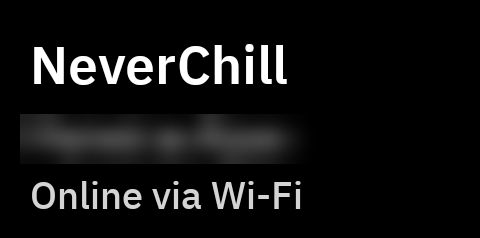
The NeverChill settings on the Karoo show how it is connected at the top: "Online via Wi-Fi", "Online via phone", or "No connection". "Wi-Fi is on but not reaching the internet" usually means a Wi-Fi network that needs a sign-in page.
Climb profile does not need a connection. Segments you downloaded before the ride keep working.
NeverChill is unreachable · Retrying
The Karoo is online but NeverChill didn't answer. The Karoo keeps trying and the field comes back on its own. If it lasts more than a few minutes, open NeverChill on your phone to check it loads.
Not available yet
On screen: "Not available yet", with "Comes with a NeverChill update".
This feature is not ready on NeverChill for your account yet. Nothing on your Karoo needs fixing. The field fills in once it is.
Offline · last update…
On screen: "Offline · last update 2 min ago" on the Group map.
The Karoo lost touch with NeverChill during a group ride. It keeps the last positions for about two minutes, then hides the riders, because a share may have ended while it was offline. A rider who sent an SOS stays on the map for up to 10 minutes. Fix the connection as under No connection above, and the riders come back.
Sign in
The Karoo's pairing ended: you signed out, paired another Karoo, or unpaired it from NeverChill. Pair again.
Needs Pro
The NeverChill fields need NeverChill Pro. If you have Pro, pair the Karoo again so it picks it up.
Turned off
You switched this part off for your Karoo. Turn it back on in Settings → Integrations → Hammerhead on neverchill.com, or More → Integrations → Karoo in the app.
The pairing code didn't work
On the Karoo: "That code did not work. A code works once, for 10 minutes. Get a new one and try again."
- Get a new code and type it within 10 minutes.
- Type all 8 letters and numbers.
- Getting a new code on the web or in the app replaces the old one.
"Can't reach NeverChill" while pairing means the Karoo is offline. Connect it to Wi-Fi, or to the Hammerhead Companion app on your phone, and try again.
Install fails
If the Karoo won't install NeverChill, or says the app isn't installed, there is usually an older test build on it. A test build and the released app are signed differently, and the Karoo won't install one over the other.
- Uninstall NeverChill from the Karoo.
- Install it again from Settings → Integrations → Hammerhead. See Install.
- Pair again.
Uninstalling removes the pairing and your NeverChill settings on the Karoo. Your rides already on NeverChill are not affected.
Also check that the download link hasn't expired. Get a fresh one from the same card.
Fields are blank after an update
We merged several fields into fewer, clearer ones. A removed field leaves an empty cell on your page. Remove the empty cell and add its replacement.
| Removed field | Use instead |
|---|---|
| Time vs PR | Segment |
| Time vs KOM | Segment, which races the leader when you have no PR |
| Distance left | Segment, or LEFT on Live segment |
| Ghost distance | Ghost. The distance is in its line. |
| Last rider | Group gap. The last rider is its ▼ and its line names them. |
| Nearest rider | Group map. Its list shows the nearest rider ahead and behind. |
| Relative wind, Wind ahead, Coming up | Route weather in a small cell |
| Form, Workout, Load so far | Removed from the Karoo. Form and today's workout are in NeverChill on the web and in the app. |
Segment delta is now called Segment, Ghost time is now Ghost, and Group is now Group map. Those keep working where you placed them.
Two alerts on every segment
The Karoo has its own live segments. With both on, you get two approach alerts and two sets of beeps on every segment you have in both.
Turn off the Karoo's built-in Strava Live Segments, or turn off Segment sounds and set Segment approach alert to Off in NeverChill on the Karoo.
Fields show nothing on the first ride
- Open NeverChill on Wi-Fi before you ride. That downloads your segments and the forecast.
- Ghost needs a route. Load one of your NeverChill routes on the Karoo.
- Group fields need riders sharing with you. Ask your riding partners to share their Beacon with you in NeverChill.
- The field picker shows sample data. "-0:08" in the picker is a preview, not your ride.
Still stuck? Send feedback from the NeverChill app with a photo of the Karoo screen.