Centro assistenzaHammerhead Karoo
Segment field on the Karoo
BetaOne compact field that follows your segments - the next one, the distance to its start, your gap to your PR or the leader, and the result.
Aggiornato il 2026-10-31
Segment is one small field for your segments. It shows what matters right now: the next segment, how far to its start, your gap while you ride it, and how it went.
How to read it
The header names the number, so it changes as you ride.
| Header | Value | When |
|---|---|---|
| NEXT SEGMENT | Distance to it, with its name under it | No segment close by |
| SEGMENT AHEAD | Distance to the start | You are close to a start |
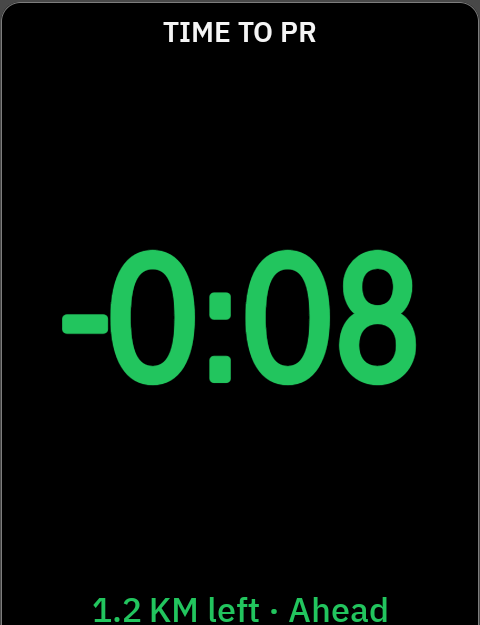
| TIME TO PR | Your gap to your PR, -0:08 |
Riding a segment you have a PR on |
| TIME TO LEADER | Your gap to the leader | Riding a segment with no PR of yours |
| SEGMENT TIME | Your time so far | No PR and no leader time yet |
| NEW PR | Your new time | Just finished, faster than your PR |
| RESULT VS PR / RESULT VS LEADER | Your finish gap | Just finished, for 30 seconds |
- Minus is ahead.
-0:08is 8 seconds ahead of your target,+0:21is 21 seconds behind. - Green is ahead, red is behind. The words say it too.
- The leader is the fastest NeverChill time on the segment.
- The gap paces against your real PR effort, not an even split. A segment that starts with the steep part stays fair.
Sizes
| Size | What you see |
|---|---|
| Half page or larger | The value with a line under it: "1.2 KM left · Ahead", the segment's name, or "7s faster than your PR" |
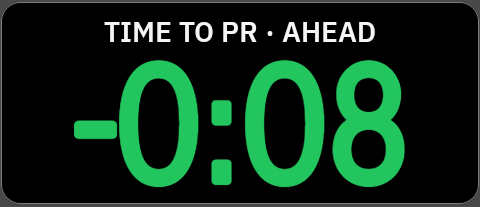
| Third, quarter, half-width | The value alone. The header keeps the word when it fits: "TIME TO PR · AHEAD" |
Messages
| On screen | What it means |
|---|---|
| Star segments in NeverChill | There are no segments to show. Star some in NeverChill. |
| Waiting for GPS | The Karoo has no GPS fix yet. |
| Sign in | Pair the Karoo again in NeverChill. |
| No connection | Connect Wi-Fi or the Hammerhead Companion app. |
| NeverChill is unreachable · Retrying | NeverChill did not answer. The Karoo keeps trying. |
| Turned off | Live Segments is off for your Karoo. Turn it on in NeverChill. |
See Troubleshooting for the rest.
Settings
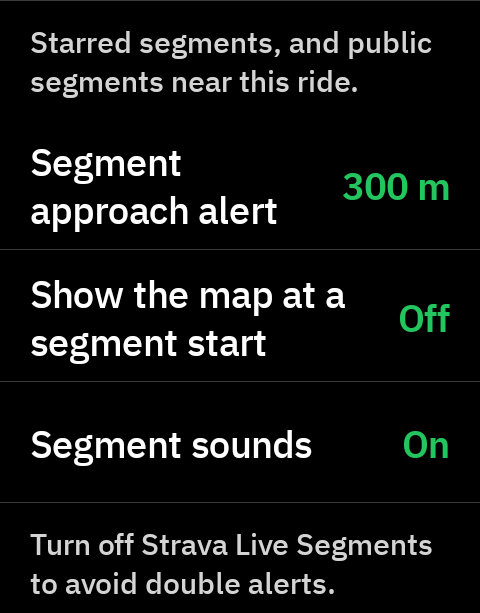
In NeverChill on the Karoo, under Segments. Tap a row to change it.
| Setting | Choices | Default |
|---|---|---|
| Segment approach alert | Off, 200, 300, 500 m | 300 m |
| Show the map at a segment start | On, Off | Off |
| Segment sounds | On, Off | On |
What it needs
- NeverChill Pro and a paired Karoo.
- Starred segments, or public segments near your ride. The Karoo downloads both when you open NeverChill, so open it on Wi-Fi before you ride.
- GPS. A route is not needed.
Good to know
- The Karoo matches your ride to segments on the device, so the field keeps working when the connection drops mid-ride.
- If you start offline, segments arrive once the Karoo is online.
- Using the Karoo's Strava Live Segments too? You will get two alerts and two sets of beeps on every segment. Turn one of them off. See Troubleshooting.
Tips
- Pair it with Live segment on its own page. Segment on your main page tells you something is coming; swipe to Live segment for the full picture.