Centro de ayudaHammerhead Karoo
NeverChill on your Hammerhead Karoo
BetaPut NeverChill on your Karoo. Install the extension, pair it, and add live segments, a ghost, climbs, weather and your group to your ride pages.
Actualizado el 2026-10-31
The NeverChill extension puts NeverChill on your Hammerhead Karoo. It adds eight data fields to your ride pages and draws your segments, the wind and your riding partners on the Karoo map.
It needs NeverChill Pro. Climb profile is the exception: it works without pairing.
What you get
| Field | What it answers |
|---|---|
| Segment | How am I doing on this segment, and what's next? |
| Live segment | The whole segment effort on one page |
| Ghost | Am I beating my best time on this route? |
| Climb profile | How much of this climb is left, and how steep? |
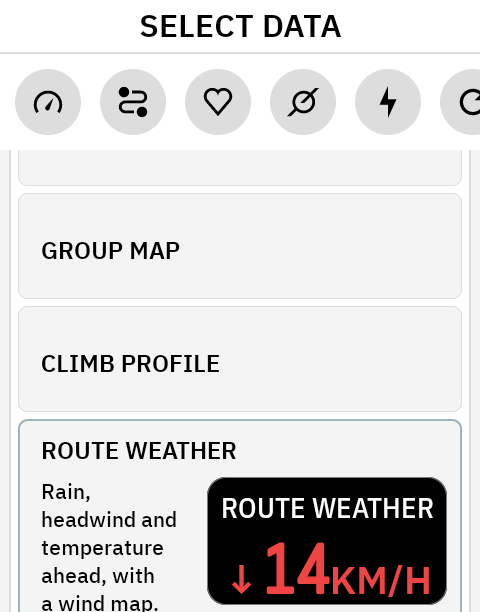
| Route weather | Wind, rain and temperature along the rest of my route |
| Weather map | The weather around me, now and over the next two hours |
| Group gap | How far ahead is the front, how far back is the last rider? |
| Group map | Where is everyone? |
Install
You install NeverChill on the Karoo from your NeverChill account, through the Hammerhead Companion app on your phone.
- Connect your Karoo to Wi-Fi.
- On neverchill.com, open Settings → Integrations → Hammerhead. In the NeverChill app, open More → Integrations → Karoo.
- Under the install step, tap Download NeverChill. On a computer, tap Open on my phone and scan the QR code with your phone camera.
- On your phone, press and hold the download link and share it to the Hammerhead Companion app.
- Tap Install on the Karoo.
- Open NeverChill from the Karoo's menu.
The download link is personal and works for a limited time. Get a fresh one from the same card if it has expired.
Installed a test build before? Uninstall it first, then install and pair again. The Karoo won't install over it. See Troubleshooting.
Pair
- On the same Hammerhead card, tap Get pairing code.
- Open NeverChill on the Karoo, type the code and tap Pair.
A code works once, for 10 minutes. The card shows Karoo paired once the code is used. The Karoo then says Paired as and your name.
Before your first ride
Pair the Hammerhead Companion app. Away from Wi-Fi, the Karoo reaches NeverChill only through the Companion app on your phone. Pair it in the Companion app so your fields keep working on the road.
Open NeverChill on Wi-Fi before you ride. That downloads your segments and the forecast for the ride ahead.
Add the recommended pages
After pairing, the Karoo shows You're set with the pages we recommend. You can open it again from Recommended pages in the NeverChill settings on the Karoo.
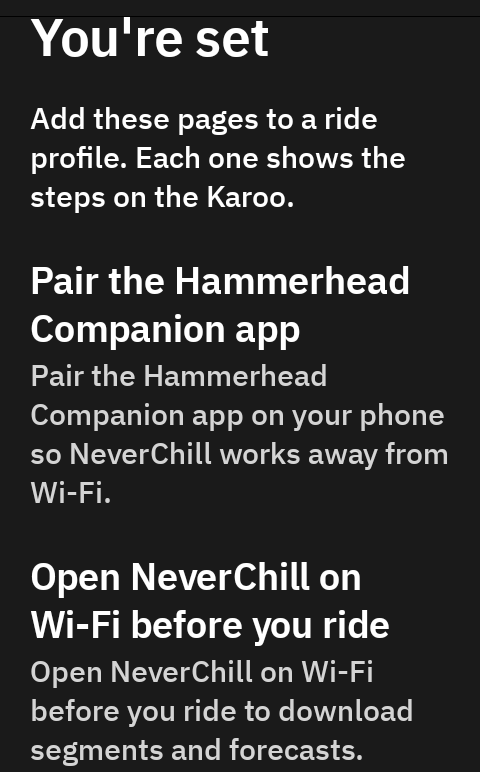
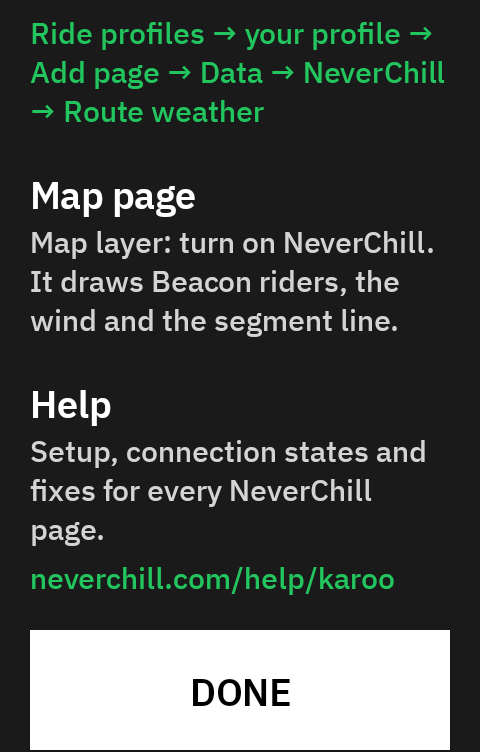
To add a field on the Karoo: Ride profiles → your profile → Add page → Data → NeverChill → the field.
| Page | What to add |
|---|---|
| Climb page | Climb profile, full page. Works without pairing. |
| Segments page | Live segment, full page. Put it right after your main page. |
| Group ride page | Group map (two thirds) and Group gap (one third). |
| Your main page | Route weather in a third or half cell. Add Segment too if you like. |
| Map page | Turn on the NeverChill map layer. |
The map layer
On your map page, turn on the NeverChill map layer. It draws:
- the segment you are riding or coming up to, its start and finish, and a PR pace or Leader pace marker;
- the wind along your route, or around you without a route ("Wind on the map", on by default);
- your Ghost on the route;
- the riders sharing Beacon with you, each as an arrow turned to their heading.
Choose what the Karoo can use
On the web Hammerhead card or in the app under More → Integrations → Karoo, switch each part on or off for your Karoo: Live Segments, Ghost rider, Route weather and Beacon group fields. A field you switch off says Turned off on the Karoo.
Reading the fields
- Minus is ahead. Time gaps are signed the way the Karoo signs a segment gap:
-0:08means you are 8 seconds ahead. - ▲ and ▼ are other riders. ▲ is a rider ahead of you, ▼ a rider behind. No other field uses them.
- Colour repeats the sign. Green is ahead or in your favour, red is behind or against you, amber is a warning, cyan is rain. The sign, arrow or words always say it too.
- ~ means an estimate or a stale reading. A Beacon gap measured in a straight line, a rider's estimated position, or a forecast that is overdue.
- Units follow your Karoo. Set metric or imperial on the Karoo and every NeverChill field follows.
Something not working? See Troubleshooting.