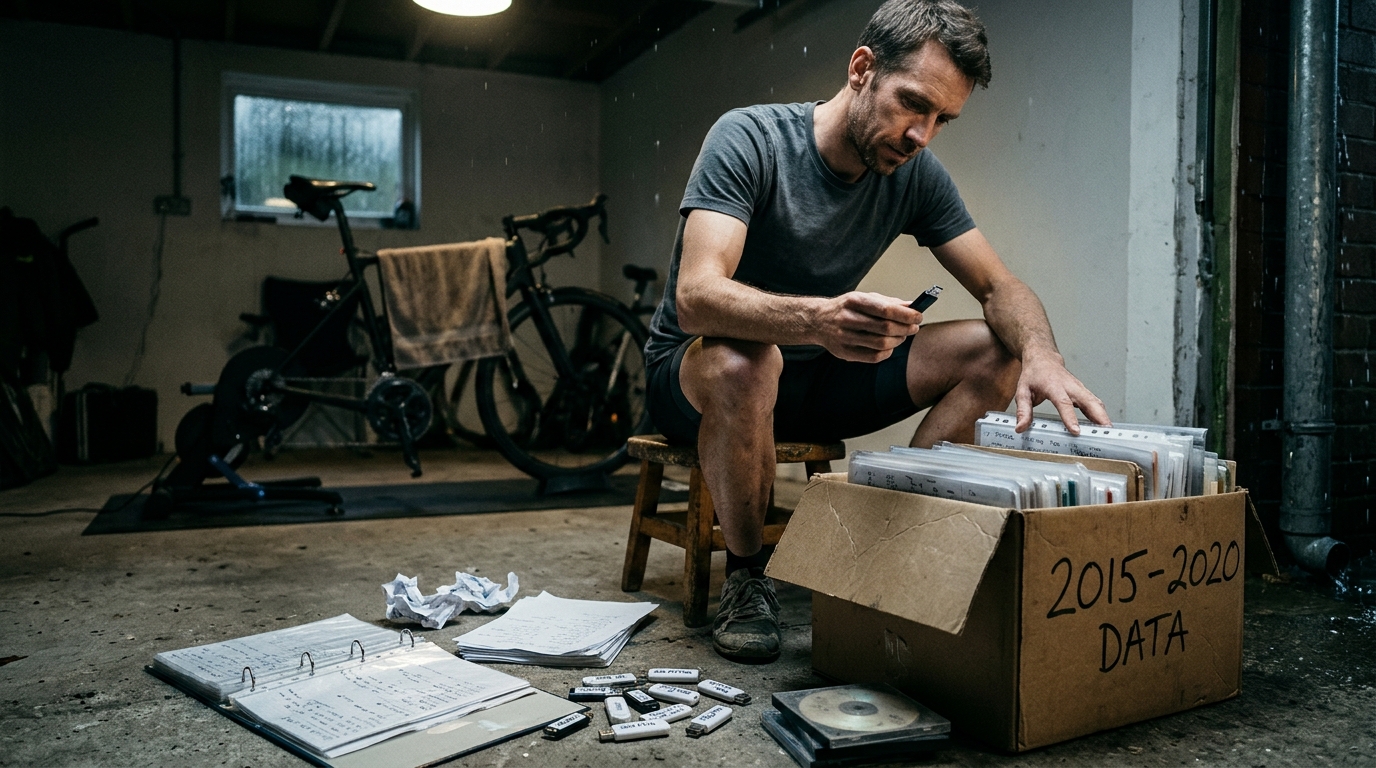
Image generated by our model.
training data
How to Migrate from Intervals.icu: Cyclist Data Checklist
A practical checklist for cyclists moving activity files, workouts, notes, zones, threshold history, and fitness trends out of Intervals.icu.
Why the migration has to be planned
If you want to migrate from Intervals.icu, the risk is not usually that every ride disappears. The bigger risk is that the new platform receives the activity files but loses the context that made those files useful.
A completed ride without the threshold you were using, the workout it was meant to satisfy, the note explaining poor sleep, or the fitness trend that framed the week is only part of the story. For a data-driven cyclist, that context is what turns a training archive into a decision-making system.
The practical goal is simple: preserve enough raw data and supporting context that the next platform can still answer the questions that matter. What work did you do, how hard was it relative to your capacity at the time, how did you respond, and what should change next?
Treat the move like a controlled audit, not a download-and-upload chore.
Quick migration checklist
Use this as the working order before you disconnect anything.
- Audit your Intervals.icu account before exporting: identify key rides, current zones, threshold history, notes, planned workouts, and known data problems.
- Export or download raw activities first: prioritize original device files where available, especially rides with power, heart rate, cadence, GPS, trainer data, and lap information.
- Export workouts and calendar data separately: completed rides and planned workouts are not the same thing.
- Preserve notes and annotations: copy or export illness notes, injury comments, race reflections, travel blocks, equipment changes, and coach feedback where available.
- Record zones and threshold history: save current FTP, heart rate zones, power zones, weight settings, custom zones, and historical threshold changes.
- Import into the new platform in a controlled order: raw activities first, then workouts and calendar items, then manually rebuild zones, thresholds, and context.
- Run post-import checks before trusting the dashboard: compare activity counts, key rides, power curve markers, zones, duplicates, gaps, and fitness trend shape.
Step-by-step workflow to migrate from Intervals.icu
1. Run a pre-export audit
Before exporting anything, make a short list of the rides and settings that anchor your training history.
Prioritize:
- Key races and goal events
- Fitness tests and hard benchmark efforts
- Rides that shaped your FTP or power zones
- Training camps and unusually heavy blocks
- Illness, injury, travel, or forced-rest periods
- Recent workouts that influence your current training decisions
- Activities with known problems, such as missing power or duplicate uploads
This audit matters because it gives you a comparison set after import. Without it, the new platform can look complete while still missing the ride that set your threshold, the indoor file that carried your best power, or the note that explains why a block went sideways.
2. Export raw activities first
Raw activity files are the foundation. Preserve the richest original files you can access, especially for rides with power, heart rate, cadence, GPS, trainer data, and lap information.
Intervals.icu can display and analyze activities that arrive from different connected services or file uploads, so export behavior may vary depending on how the ride originally entered your account and what files are still available from the source service. Do not assume every visible activity has the same underlying file available for export.
If original device files are available, prioritize those over summary-only exports. Summary data is useful for auditing, but it is not a replacement for second-by-second ride data. A platform can usually rebuild better analytics from a complete activity file than from a line in a spreadsheet.
Keep a local backup separate from the new platform. Cloud-to-cloud migration is convenient, but if the import goes wrong, a clean source file gives you another attempt.
3. Export workouts and calendar items separately
Completed activities tell you what happened. Planned workouts tell you what was supposed to happen.
If you used Intervals.icu for training planning, preserve workout structure and calendar placement separately from completed ride files wherever your account allows it. The details that matter are the workout steps, targets, recovery periods, workout names, planned day, and any notes attached to the session.
This is a common migration failure because the calendar can look healthy after import. The completed rides are there, but the intent is gone. A threshold session that became endurance, a shortened workout in a heavy block, or a race opener with low load but high specificity can become analytically flat if the plan disappears.
4. Export or copy notes
Notes are easy to undervalue because they are not as clean as power data. They are also the first place you will look when the numbers stop making sense.
Preserve notes around:
- Illness and injury
- Travel and missed training
- Sleep, stress, heat, and fueling problems
- Race reflections
- Equipment changes
- Trainer issues and sensor problems
- Coaching feedback
- Major changes in motivation or perceived effort
If notes do not transfer cleanly, copy the highest-value ones manually. Focus on recent training blocks, goal events, threshold changes, and any period where the data alone would mislead you.
5. Record zones, thresholds, and athlete settings
Before leaving Intervals.icu, record the settings that define how your training load and intensity were interpreted.
At minimum, save:
- Current FTP or cycling threshold setting
- FTP or threshold history where available
- Power zones and zone model
- Heart rate zones
- Weight and athlete settings
- Sport-specific settings for indoor and outdoor rides
- Any custom zones used for training or racing
This is where migrations often become technically complete but analytically wrong. If your new platform evaluates old workouts against your current FTP instead of the threshold you had then, the history changes meaning. Old tempo can become sweet spot. Threshold can look like tempo. A hard block can appear easier or harder than it really was.
If your new platform supports historical thresholds, rebuild them as accurately as practical. If it does not, at least document the major changes so you know where the model may be distorted.
6. Import to the new platform in stages
Do not dump everything in and start making training decisions immediately.
Import in this order:
- Raw completed activities
- Planned workouts and calendar items
- Notes or annotations, if supported
- Manually entered zones and athlete settings
- Historical thresholds, if supported
- Any custom workouts you want to reuse
After each major step, check for obvious failures. If you import activities first and immediately see duplicate rides, missing power, or blank indoor sessions, fix that before adding more layers. It is easier to isolate problems while the migration is still simple.
7. Run a post-import audit
The import is not finished when the files appear. It is finished when the new platform tells a plausible training story.
Use the checklist near the end of this article before you trust fitness, fatigue, form, training load, or readiness metrics.
What Intervals.icu data you should preserve
Think of the archive in layers. Some data is raw and portable. Some is interpreted by Intervals.icu. Some is personal context that no algorithm can rebuild later.
Raw activity files
These are the priority. Preserve the original activity files wherever possible, especially for rides with power, heart rate, cadence, GPS, trainer data, and lap information.
Do not rely only on summary exports if raw files are available. Summaries are good for comparison, but they cannot fully replace detailed ride files.
Activity history and metadata
Your activity history is more than completed rides. Titles, descriptions, perceived effort, tags, equipment, indoor versus outdoor context, and notes can all explain why the ride looks the way it does.
A low-power endurance ride may have been a technical trail day. A failed threshold session may have followed poor sleep. A fatigue spike may come from a training camp rather than bad planning. If that context disappears, the new platform may import the files correctly and still make the wrong inference.
Fitness, fatigue, and form trends
Fitness, fatigue, and form are model outputs, not raw truth. They are still worth preserving because they show how you were interpreting training load at the time.
Before moving, save a record of the fitness chart and recent training trend. The exact numbers may not match in the new platform, but the shape matters: when you were building, when you were carrying fatigue, when you were recovering, and when tapering actually worked.
Zones, thresholds, and settings
Your zones and thresholds determine how completed work is classified. If those settings are wrong after migration, every downstream metric becomes suspect.
A new platform may calculate load from imported rides, but it will do so through its own assumptions. If your FTP history is not carried across or manually rebuilt, old workouts can be judged against the wrong fitness level.
Planned workouts and completed training
Planned workouts show intent. Completed activities show execution. You need both if you want to understand progression.
A platform that only receives completed ride files can tell you what happened. It may not know whether the session was meant to be endurance, threshold, VO2 max, race preparation, or recovery. That weakens compliance analysis and blurs the link between planning and adaptation.
What may not transfer cleanly
A clean migration does not mean every data layer moves perfectly. Some information is tied to how Intervals.icu models, stores, or displays training.
Be especially careful with:
- Derived fitness metrics: fitness, fatigue, form, load trends, and freshness indicators may be recalculated differently in the new platform.
- Proprietary or platform-specific load calculations: two platforms can read the same ride file and produce different training stress values.
- Notes and annotations: comments attached to days, activities, events, or workouts may not map cleanly.
- Planned workout intent: a completed ride may transfer while the original prescription, targets, and calendar logic do not.
- Custom zones: non-standard power or heart rate zones may need to be rebuilt manually.
- Historical thresholds: old activities may be evaluated against the wrong FTP or heart rate threshold if history is not imported or recreated.
- Tags, equipment, and sport classifications: these can be lost, simplified, or mapped differently.
This is not a reason to avoid migrating. It is a reason to separate raw data from interpretation. Raw ride files are the base. The model and context need to be checked afterward.
How to audit your ride history before moving
The best time to clean your archive is before migration, because you still know what Intervals.icu is showing.
Start with anchor activities:
- Best power efforts across the durations you actually use for training and racing
- Key races and events
- Fitness tests
- Training camps
- Blocks with unusually high or low load
- Workouts that shaped your current zones
- Rides with known data problems
Open those activities and check whether they contain the sensor data you expect. Missing power, duplicated rides, incorrect sport type, trainer dropouts, and bad heart rate spikes can all distort the new platform's model.
Do not try to make the archive perfect. That becomes a procrastination trap. Clean the files that influence current decisions. A corrupted easy spin from years ago is not worth the same attention as the ride that set your threshold.
A useful rule is simple: if a ride affects your zones, power curve, fatigue trend, or confidence in current form, audit it before the move.
How to migrate from Intervals.icu without breaking fitness trends
This is where most cyclists expect too much precision.
Fitness, fatigue, and form are not universal constants. Platforms can use different load calculations, smoothing methods, threshold histories, and assumptions about how quickly load accumulates and decays. So when you migrate from Intervals.icu, do not expect the new chart to reproduce the old one exactly.
The better target is directional consistency.
If Intervals.icu showed you building through a base phase, carrying fatigue through a hard block, then freshening before an event, the new platform should tell a similar story. The absolute values may differ. The training conclusion should not.
After import, look at the major shape of the chart:
- Do heavy training blocks still appear as heavy?
- Do rest periods show reduced fatigue?
- Do tapers create a visible improvement in form?
- Do illness or travel gaps appear as interruptions?
- Does current fitness feel plausible relative to recent riding?
If the model looks wrong, check the inputs before blaming the platform.
A sudden drop in training load may indicate missing activities or files imported without power. A sudden jump may indicate duplicate syncs from a head unit, trainer app, and connected service. Old workouts classified at odd intensities often point to missing threshold history or zones rebuilt from current settings only. Blank indoor rides can indicate that the imported file carried a route or summary but not the trainer data you need.
Handling power curves, eFTP and zone settings
Power curves are especially sensitive to missing files because a single maximal effort can anchor an entire part of the curve. If that ride fails to import, your curve may look artificially weak even if the rest of the archive is intact.
Before leaving Intervals.icu, note the activities that produced your key power curve markers. You do not need to obsess over every point. Focus on the efforts that influence training zones, pacing, and race demands.
The same logic applies to eFTP. Estimated FTP is an interpretation of your recent and historical power data. A new platform may estimate it differently, especially if it uses a different model or sees a different set of imported files.
That does not make either estimate useless. It means the first post-migration estimate should be treated as provisional. Compare it with recent workouts, race efforts, and whether threshold work feels like threshold work. If needed, use a sanity check like the FTP estimator, then align your zones manually.
Zone settings deserve special attention because they change the meaning of every completed workout. If FTP is too low, tempo rides look harder than they were. If it is too high, threshold work looks deceptively controlled. The migration may be complete and still analytically wrong.
Before you resume normal training decisions, confirm:
- Current FTP or threshold setting
- Power zone model
- Heart rate zones
- Weight and athlete settings
- Sport-specific settings for indoor and outdoor rides
- Any custom zones used for workouts
If your new platform supports threshold history, rebuild it as accurately as practical. Old rides should be evaluated against the threshold you had then, not the fitness you have now.
Preserving planned workouts and completed training
Completed training tells you the physiological dose. Planned training tells you the coaching intent.
That distinction matters most when reviewing progression. A completed endurance ride after a failed interval session is not the same as a planned endurance day. A shortened workout during a heavy block may be a smart adjustment, not a miss. A race opener may look easy by load but be highly specific for sharpness.
When moving planned workouts, separate three things.
Workout structure
This is the prescription: steps, targets, recovery periods, and intensity type. Preserve it if you reuse workouts or compare completion quality over time.
Calendar placement
This is the training plan logic: hard days, recovery days, race preparation, and block design. Losing placement makes the history less useful because the sequence is part of the adaptation.
Athlete feedback
This is often the most underrated layer. Notes about motivation, sleep, soreness, fueling, heat, or equipment can explain why the same workout produced different outcomes.
If the new platform cannot import all of this cleanly, use a hierarchy. Keep completed ride files first, structured workouts second, and key notes third. Then manually preserve context around goal events and recent training blocks.
Post-migration audit checklist
Once the import is finished, resist the urge to trust the dashboard immediately. Run a controlled check before making training decisions from the new data.
Activity count and calendar gaps
Scan the calendar for empty periods that should contain rides. Look around travel, race blocks, indoor seasons, and any period when device syncing changed.
If a whole block is missing, check whether those rides came from a connected service that did not export cleanly or from a device file that was never preserved locally.
Duplicate activities
Duplicates inflate load and make fatigue look higher than reality. This often happens when the same ride exists from a head unit, trainer app, and synced platform.
Keep the file with the best data and remove the rest. Usually that means keeping the activity with complete power, heart rate, cadence, laps, and workout structure.
Key workouts and races
Open your anchor sessions and confirm that power, heart rate, cadence, laps, GPS, and workout targets imported correctly.
If the new platform only shows a route, duration, or summary, the file may not have carried the data needed for training analysis.
Power curve integrity
Compare your best efforts in the new platform with the ones you recorded before leaving Intervals.icu. If a key effort is missing, find the source activity and re-import it if possible.
A weak-looking power curve after migration is often not a sign of lost fitness. It is often a sign that the ride containing the maximal effort did not import correctly.
Zones and threshold history
Confirm that current and historical thresholds are plausible. Then open old workouts and ask whether the zone classification makes sense for the athlete you were at the time.
If old threshold sessions look like endurance, or old endurance rides look like tempo, the issue is probably threshold history, zone mapping, or athlete settings.
Fitness trend shape
Do not chase identical numbers. Look for a plausible training story.
Build phases should build. Recovery periods should recover. Race tapers should not look like unexplained collapses unless the underlying activity history supports that.
Notes, tags, and planned intent
Check whether important notes, tags, race labels, equipment markers, and planned workout details survived the move.
If they did not, manually restore the context around your current season, key goal events, recent threshold changes, and any training block you are likely to review again.
Recent training readiness
Before planning the next block, make sure current fatigue and form are not artifacts of the migration.
If duplicates, missing rides, missing power, or incorrect thresholds are present, fix them before adjusting training load. Otherwise, you are making decisions from a broken model.
The real goal: continuity, not perfection
A clean cycling fitness data migration does not mean every metric looks identical after the move. It means your training history remains useful.
If you preserve raw files, planned workouts, key notes, zone settings, threshold history, and the major shape of your fitness model, you can move platforms without losing the thread of your development.
The new platform can rebuild charts, recalculate load, and generate fresh estimates. It cannot recreate the context you fail to preserve.
So before you migrate from Intervals.icu, take the extra time to audit the files and settings that shape your current decisions. The work is not administrative. It protects the evidence behind your training.